

Category Ajax Filter Pro

4.9 

 Blog Posts
 Custom Post Types
 Woocommerce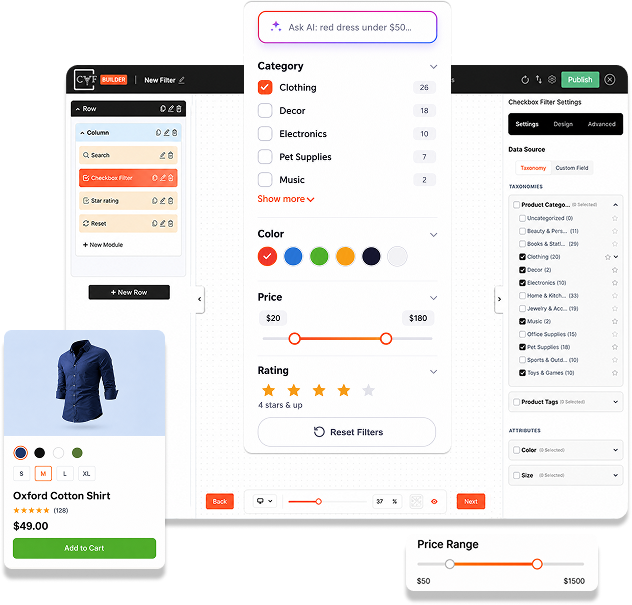


AJAX-Powered Filtering
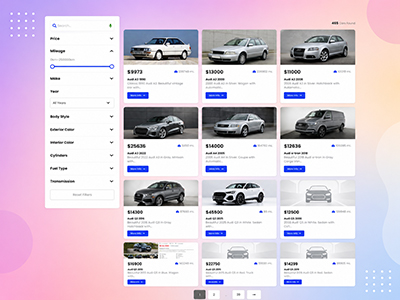
Visitors filter by category, tag, attribute or price and see results instantly, no page reloads, no waiting, on any device.

Drag & Drop Filter Builder
Build your filter, design each post or product card and customize the layout in 3 visual steps. Every module is styleable, no coding.

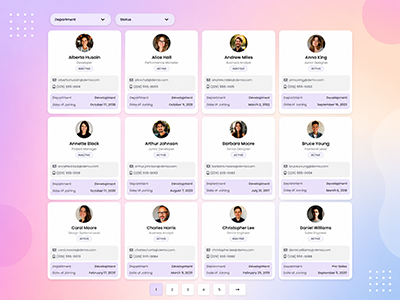
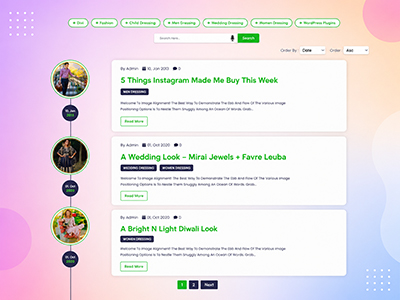
Works with Any Post Type
Filter blog posts, custom post types and WooCommerce products using any taxonomy, brand, attribute or custom field. Display anywhere with a shortcode.

Pre-built Template Library
Start from ready-made layouts, filters and post card templates, import one from the built-in library in seconds, then make it yours.
CAF Features
Unlock advanced filtering capabilities with powerful Pro features. Get game-changing tools to create smarter filters, deeper analytics and complete design control. Transform your filtering experience.


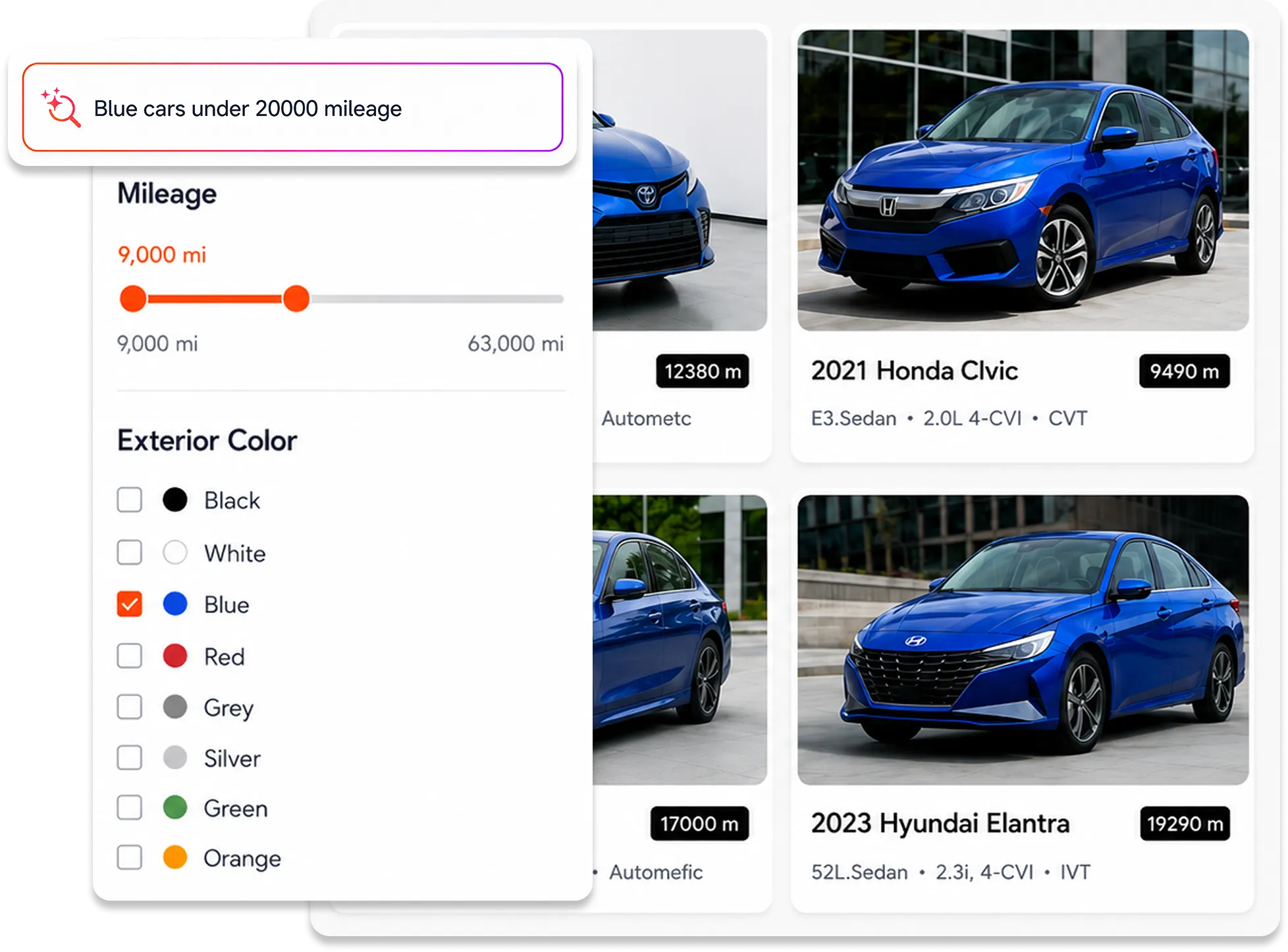
Ai Search
Semantic, intent-based search that understands what visitors are looking for. Instead of matching exact keywords, AI Search matches visitor intent against your post content, taxonomy terms and labels. Visitors find what they actually need, not just what they typed. Higher relevance means more engagement and conversions.
Key Benefits
- Understand what visitors mean, not just their words
- Smarter results across posts, categories and custom fields
- Fewer frustrated visitors, more conversions
- Works automatically, no manual optimization needed
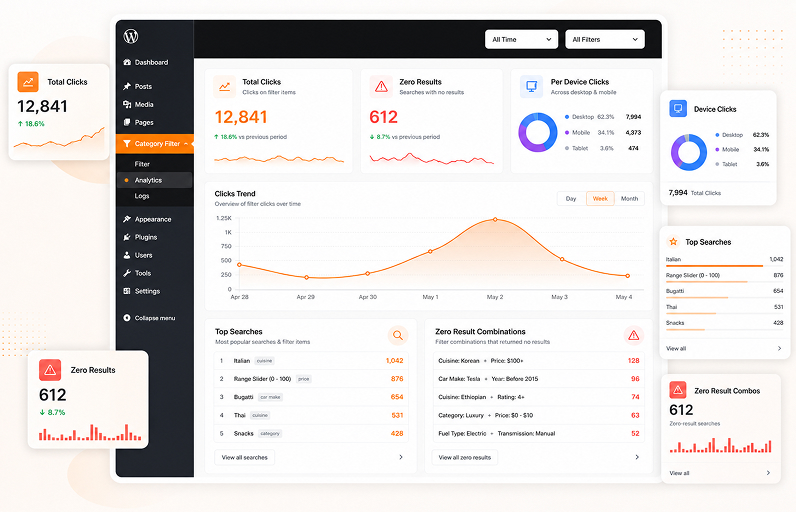
Analytics
Voice Search


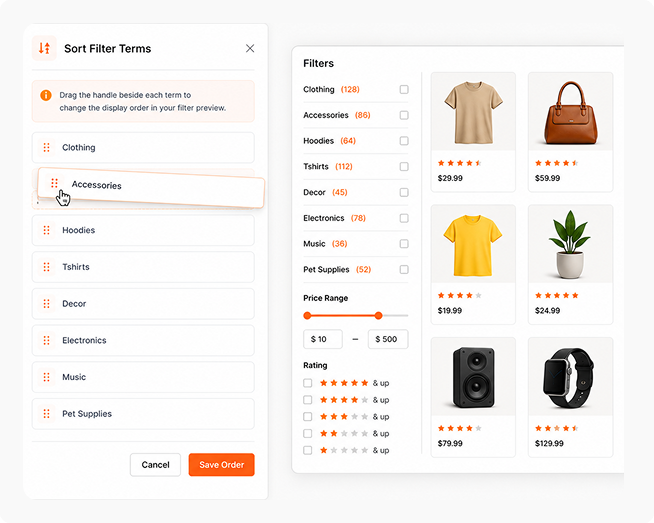
Sort Filter Terms/Categories
Manually reorder filter terms using drag-and-drop instead of relying on alphabetical or default ordering. Prioritize the categories, taxonomies or custom field terms that matter most to your visitors. Works with Checkbox and Dropdown filters. Control the exact order visitors see, guiding them toward the most relevant options and boosting engagement with your most important categories.
Key Benefits
- Drag-and-drop reordering of filter terms
- Works with Checkbox and Dropdown filters
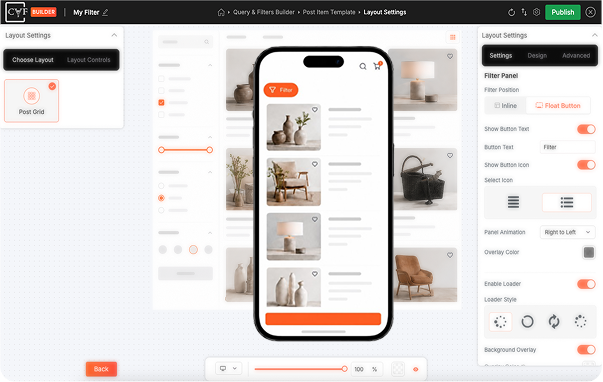
Float Button
Create filters and layouts that adapt perfectly to every device. Desktop displays your full sidebar layout. Mobile and tablet automatically optimize with hiding, custom panels, appearance, animations and behavior. Every element like filter positions, spacing, column layouts and card layouts can be configured, delivering the perfect experience across all screens.
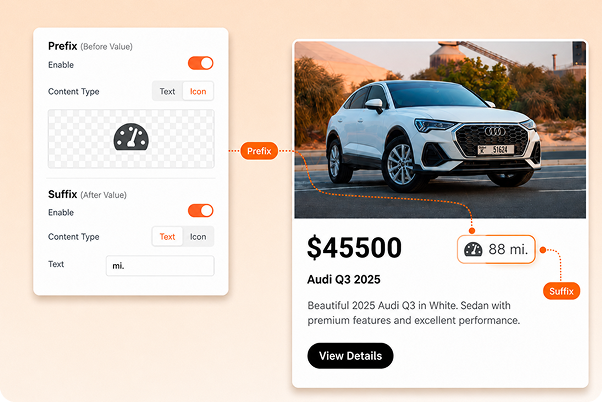
Prefix & Suffix Options
Add custom text or icons before and after any post data. Works across all post modules like author, date, comment count, custom fields and more. Add units such as currency symbols, labels and prefixes. Complete control over how every piece of information displays. Present your content with branded labels, helpful details and visual hierarchy without extra code.
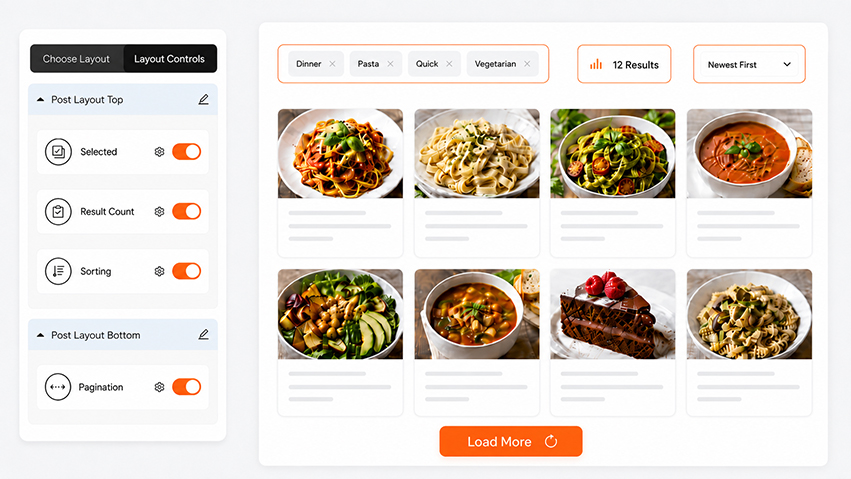
Advance Layout Controls
Place pagination, sorting dropdowns, result counts and selected filters exactly where you want them. Choose from four toolbar positions above filters, below filters, above post grid or below post grid. Fully customize colors, fonts, spacing, positioning, drag-and-drop layout and responsive behavior. Stack multiple modules in the same position. Complete layout and design control without any code.
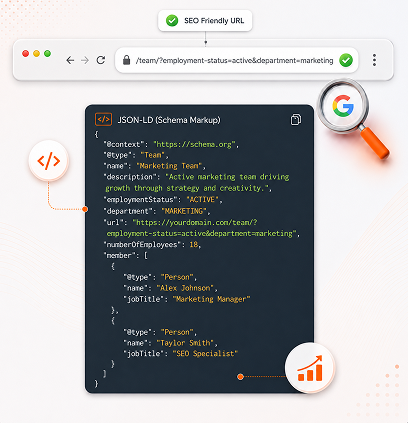
SEO Controls
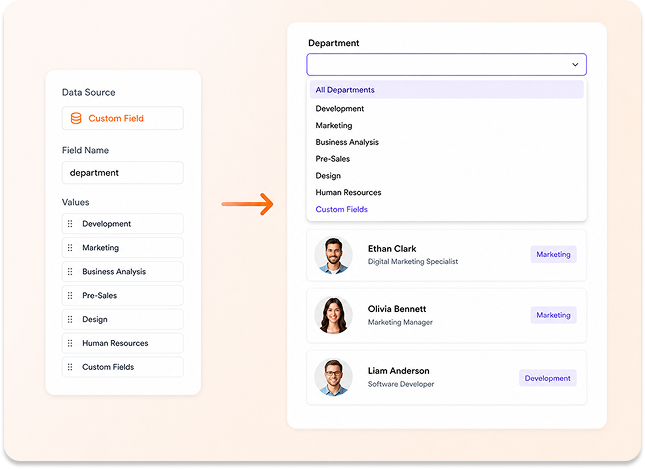
Custom Fields in Filters
Key Benefits
- Create Checkbox and Dropdown filters from any custom field values
- Let Search target specific custom fields for focused results
Product Swatches
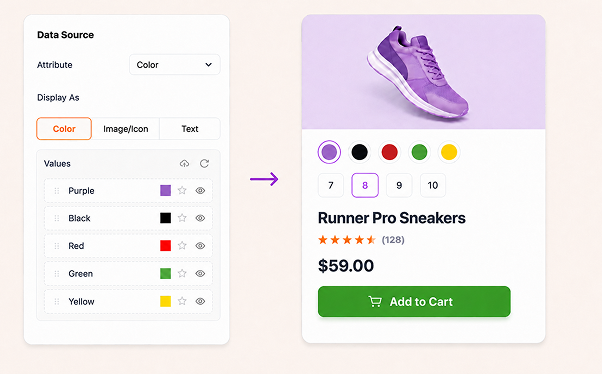
Display product attributes as selectable swatches directly on product cards. Choose between text, color or image styles. Shoppers pick their size or color and add the exact variation to cart without opening the product page. Every swatch is fully styleable to match your design. Turn your filtered grid into a fast, one-stop shopping experience.
Smart Product Badges
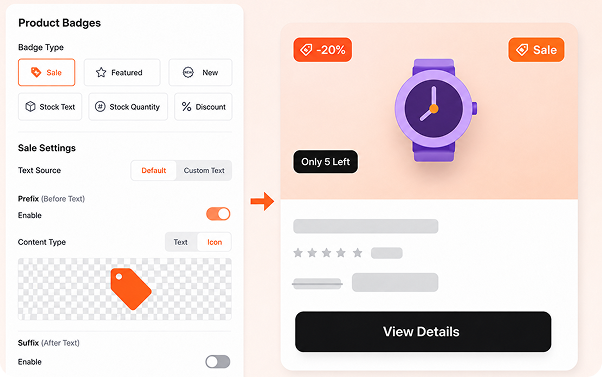
Go beyond the standard Sale badge. Create New, Best Seller, stock status, stock quantity and discount badges with value or percentage display. Each badge comes with its own conditional logic. Set a Low Stock Threshold to trigger urgency automatically. Combine options to build flexible badges that appear exactly when they should, no manual tagging required.
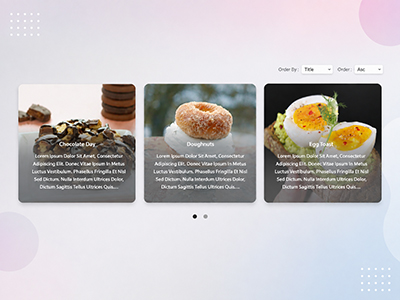
Explore Live Demos
- Pro12
- Free10
- Custom Posts7
- Woocommerce4
- Wordpress Posts11
- CAF Builder16
- Classic Panel6


Why Upgrade to Pro?

Features
-
Works with Posts, Custom Post Types & WooCommerce
 Filter WordPress posts, any custom post type, or WooCommerce products — all with the same builder.
-
CAF Builder (Drag & Drop)
Build filters and post layouts visually in 3 steps: Query & Filters, Post Item Template, Layout Settings.
-
Connect to Existing Shop Layout
Add filtering to your current shop page as-is, without rebuilding the listing.
-
Custom Taxonomies Filter
Filter by any taxonomy you've created — categories, tags, brands, or custom ones.
-
Colour Swatches (As Dropdown & Checkboxes)
Show taxonomy terms as clickable colour swatches in either the Dropdown or Checkbox filter module.
-
Price / Range Slider
A numeric range filter — works on WooCommerce price out of the box.
-
Responsive Design Controls
Adjust columns, spacing, and filter position independently for desktop, tablet, and mobile.
-
Filter Modules
Search, Checkbox, Dropdown, Reset, Custom Text, and Range Slider are free. Star Rating filter is Pro-only.
-
Post & Product Listing Modules
Covers Post Image, Title, Description, Author, Date, Terms, Product Price, Add to Cart, and more. Custom Field, Product Rating, and Attribute Swatches are Pro-only.
-
Product Badges
Sale and Featured badges are free. New, Best Seller, Stock Status, Stock Quantity, and Discount badges are Pro.
-
Custom Field Filtering
Filter by any custom field — ACF, Meta Box, or manually added — not just taxonomies.
-
Attribute Swatches (On Product Listing)
Let shoppers pick a colour, size, or variation directly on the product listing and add it to cart.
-
Range Slider on Custom Fields
Point the range slider at any custom-field number, not just price.
-
Star Rating Filter
Let visitors filter WooCommerce products by star rating.
-
Dynamic Term Counts
Show a live count of matching results next to each filter option.
-
Sort Filter Terms (Drag & Drop Reorder)
Manually reorder taxonomy terms in Checkbox and Dropdown filters using drag-and-drop, instead of relying on alphabetical order.
-
AI-Powered Search
Semantic, intent-based search that understands what a visitor means, not just exact keywords.
-
Voice Search
Let visitors search by speaking instead of typing.
-
Custom Fonts
Use your own custom fonts across every filter and listing module, beyond the built-in font library.
-
Icon/Image Options for Filters
Set a custom icon or image for each individual filter term, not just a colour swatch.
-
Prefix/Suffix for Listing Modules
Add extra text or an icon before or after content in listing modules — like Post Date, Author, or Comment Count.
-
SEO-Friendly Filter URLs
Every filter combination gets its own crawlable, indexable URL, so it can rank in search.
-
Filter Analytics
See what visitors filter and search for, and which combinations return zero results.
-
Off-Canvas / Float Button (Mobile)
A dedicated mobile filter panel that slides in from a floating button.
-
Elementor Loop Builder Support
Use CAF filters inside Elementor's native Loop Grid/Carousel widgets.
-
Priority Support
Direct, faster-response support for Pro customers.

Free Version
- 6
- 10+
- 2
Pro Version
- 7
- 15+
- 7+
Get Category AJAX Filter Pro Today
Pick the license that fits your needs. All plans include updates, support and powerful features to enhance your WordPress website.
100% Risk-Free Money Back Guarantee

Back Guarantee

What Website Owners and WordPress Experts Say
Our users love sharing their experiences! Thousands of website owners and WordPress professionals have tried our free and pro plugins and their feedback helps us grow and improve every day.

Adam Jeet

It works with custom posts and taxonomies and AJAX filtering is so fast and without page reload. The customisation options are too flexible, allow you to create professional filter and listing without writing a single line of code.

Sholiboli
I bought a (quite cheap) lifetime PRO licence and I couldn’t be more satisfied with the plugin, none of the other plugin that I’ve tested come close. You can choose one of already nice default filter/posts layouts or customize even further it based on your needs…..

Iggypopnz
This plugin is terrific and the team even more amazing. They were very willing to help me, answer questions and their response was fast and efficient.

Mgp33
Have just started to use this plugin. Im very impressed at how easy it is to use, and the level of support is excellent..

Simplix Innovations
The best WordPress Ajax Filter plugin that has many functionality and customizations way ahead of other plugins. I’m using the Pro version of the plugin and the support team is great and response in no time.

Brand Brite
What a great experience with Trusty Plugins and their Team. They responded very fast, and communciation was to the point. The product is fantastic, lightweight and looking forward for their new developments!

Daniele Pais
This plugin is useful and has a great selection of settings. Well done.

Summertime Marketing
I highly recommend upgrading to the PRO version of this plugin if you are looking for customisation options. The support team is exceptional and has been extremely helpful in addressing any questions.
Frequently Asked Questions
Q. What is Category AJAX Filter (CAF) Pro?
Category AJAX Filter Pro is a WordPress plugin that lets visitors filter posts, custom post types, and WooCommerce products by categories, taxonomies, attributes, and price with results updating instantly and no page reload. Pro adds deeper filtering like custom fields, AI-powered search, product swatches, and SEO-friendly filter URLs.
Q. Can I filter posts and products using multiple taxonomies?
Yes. You can combine several taxonomies in a single filter, for example, category and colour together for posts, custom post types, and WooCommerce products, in both the Free and Pro versions.
Q. What if I don't renew the plugin next year?
Q. Does the plugin work with page builders like Elementor or Divi?
Yes, CAF works with all major page builders, including Elementor, Divi, and WP Bakery. Pro also adds native support for Elementor’s Loop Builder.
Q. Can I customize filter layouts and post layouts?
Yes. The CAF Builder lets you visually design your filters and your post or product cards, choosing modules and styling for posts, custom post types, and WooCommerce products, with full control over fonts, colors, and spacing.
Q. Will the plugin work with my existing WordPress theme?
Yes. The plugin is designed to work with most well-coded WordPress themes without requiring additional configuration.
Q. Is Category AJAX Filter Pro easy to set up?
Yes. The CAF Builder breaks setup into three simple steps Query & Filters, Post Item Template, and Layout Settings so you can build a complete filter without writing any code.
Q. What makes the Pro version different from the Free version?
The free version already covers core filtering for posts, custom post types, and WooCommerce products, unlimited filters, multiple taxonomies, colour swatches, and a price slider. Pro adds custom field filtering, AI-powered search, product badges and on-card swatches, SEO-friendly filter URLs, and detailed filter analytics. See the full comparison above for the complete list.
Q. What if the plugin does not work for my website?
We offer a 7-day money-back guarantee. If the plugin does not meet your needs, you can request a refund within 7 days of purchase.