

Build WordPress Filters with AI Using the CAF MCP
Connect Claude, ChatGPT or Cursor to your site. Describe the filter you want for WooCommerce products, posts or custom post types, and it’s built in CAF.
Ask your AI to build a filter…

Claude

ChatGPT

Cursor

VS Code

Any MCP client
Works with Claude, ChatGPT, Cursor and more
The CAF MCP connects any AI tool that supports MCP to your WordPress site. Describe the filter you want, and it builds a real CAF filter you can edit.
Set Up the CAF MCP in 3 Steps
Connect CAF to the AI tool you already use. It takes a few minutes.
[01]
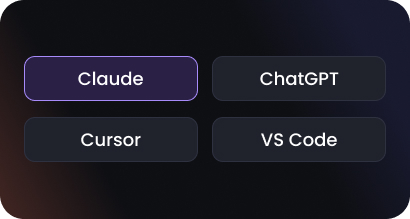
Choose your AI tool
Claude, ChatGPT, Cursor, VS Code or any MCP client.
[02]
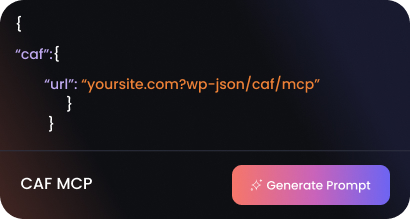
Generate your prompt
Go to Category Filter → MCP, choose your AI tool and click Generate prompt.

[03]
Paste it in
Paste the prompt into your AI tool. It connects, and you can start building.
WordPress Filters You Can Build with AI
The CAF MCP can create, design and update filters on your site.
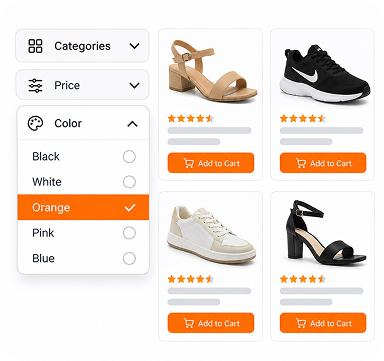
WooCommerce product filters
Categories, attributes, price and search.
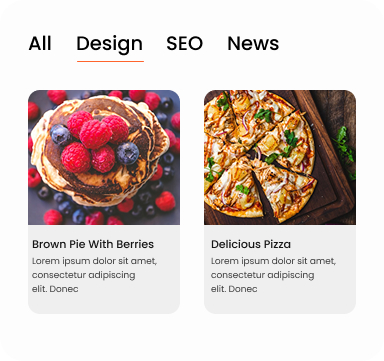
Blog and post filters
Filter posts by category, tag or topic.
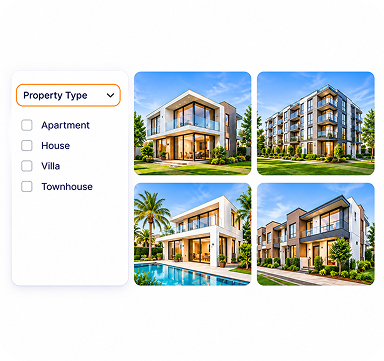
Custom post type listings
Events, jobs, listings, any post type.
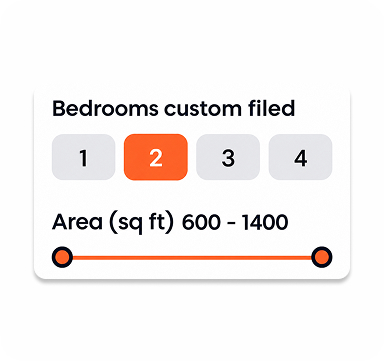
Custom field filters
Filter by ACF, Meta Box or other field data.
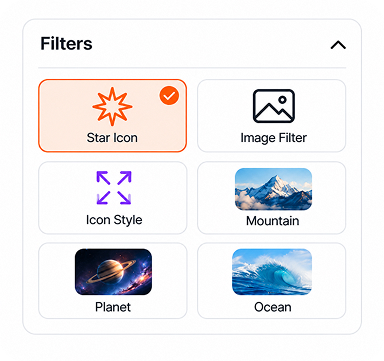
Image and icon filters
Give each term a colour, icon or logo.
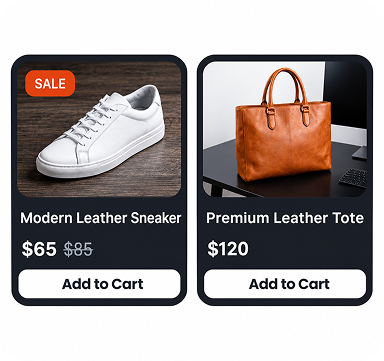
Post and product cards
Image, title, price, Add to Cart,
pagination.
pagination.
Unlock more of the MCP with Pro
Your AI can use every Pro module and feature.

AI Search

Star Rating

Category Page Mode

Dynamic term counts

Infinite scroll

10 revisions
AI Prompts for WooCommerce and Post Filters
Copy one, paste it into your AI tool, and change the details to fit your site.
Create a filter
“Create a product filter with category checkboxes, a price slider and search.”
“Make a blog filter by category with 3 columns of posts.”
“Build a filter for my Events post type using the Location taxonomy.”
Design and style
“Turn the category checkboxes into rounded pills, orange when selected.”
“Add a brand filter and show each brand’s logo.”
“Show price and Add to Cart on each product card.”
Layout
“Put the filter on the left and show 12 products per page.”
“Move the filter to the top on mobile.”
“Use load-more pagination and sort by newest.”
Get the most out of the MCP
A few habits for better results.
01Name the post type
Tell it what to filter, like products or posts.
02Start simple
Build the basic filter first, then style it.
03One change at a time
Short requests give cleaner results.
04Preview before publishing
Ask for a preview link and check it.
05Edit, don't rebuild
Change one part instead of starting over.
06Undo anytime
Ask the AI to restore the last revision.
Frequently Asked Questions
More questions? Contact support.
Q. What is an MCP?
MCP (Model Context Protocol) is an open standard that lets AI tools work with other software. Through the CAF MCP, your AI tool can use CAF’s builder directly instead of only giving you instructions.
Q. What is the CAF MCP?
The CAF MCP lets you build WordPress filters with AI. It connects AI tools like Claude and ChatGPT to Category AJAX Filter on your site. You describe the filter you want, and the AI builds or edits it in CAF for you.
Q. Which AI tools does it work with?
Claude, ChatGPT, Cursor, VS Code and any other AI tool that supports MCP. You connect once, then build filters by chatting.
Q. Is it included in Free?
Yes. The CAF MCP is included in the free Category AJAX Filter plugin and can build with all Free features. With CAF Pro, your AI can also use every Pro feature, such as AI Search, custom field filters and Category Page Mode.
Q. How do I connect my AI tool?
In wp-admin, go to Category Filter → MCP and click Generate Prompt. That creates a secure connection for one AI app. Paste the prompt into your AI tool and it connects in a few minutes, or use manual configuration if you prefer.
Q. Can it break my live site?
No. The CAF MCP only works with CAF filters, so your AI tool can’t change your pages, posts, products, theme or settings. Every filter also keeps revisions, so you can restore the previous version at any time (Free keeps 2, Pro keeps 10).
Q. Can I build a WooCommerce product filter with AI?
Yes. Ask for the filter you need, such as categories, attributes, a price slider and search, and the AI builds it in CAF. You can connect it to your existing shop layout or have the AI build a complete product listing too.
Q. What data can my AI tool access?
Only what CAF needs to build your filters. Your AI tool connects directly to your site, and nothing passes through Trusty Plugins’ servers. Under Category Filter → MCP, you can see each connected AI app and its activity, revoke one or all of them, or turn off MCP access completely.
Build Your Next WordPress Filter with AI
Free in Category AJAX Filter. Connect Claude, ChatGPT or Cursor in minutes.