

Float Button

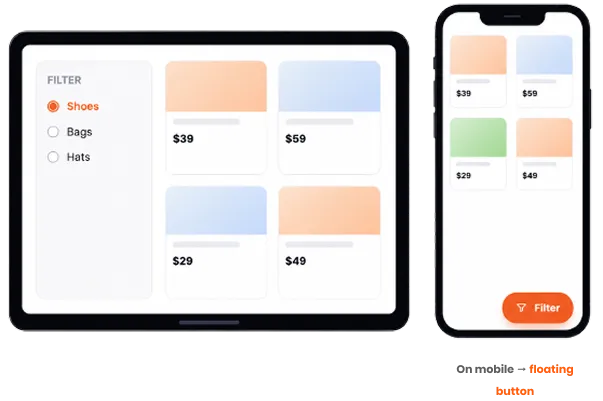


Built on full responsive controls
Even before the float button, CAF lets you design every module separately for desktop, tablet, and mobile — columns, fonts, and spacing. The float button builds on that, giving your filter the perfect layout and the perfect behavior on every screen.
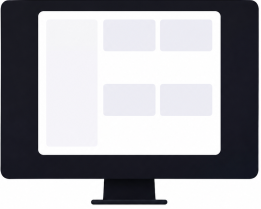
Desktop
Sidebar / Filter 2 Columns
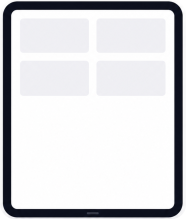
Tablet
Adjusted spacing
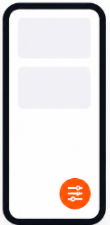
Mobile
Float button / Fullwidth
Your float button, fully in your control
Every part of the floating button is in your control — from the backend, no code.

Button Position
Place the button in any corner, with fixed positioning (stays as visitors scroll) or absolute (sits within your layout).

Button Text & Icon
Show or hide the label and icon, set your own text like “Filter” or “Refine”, and pick an icon that fits your brand.

Panel Animation
Choose how the panel slides in when tapped — like Right-to-Left — for a smooth, native-app feel.

Overlay Color
Set the background overlay shown behind the open panel, so the focus stays on filtering.

Per-Device Control
Turn the floating button on or off per device — inline on desktop, floating on mobile, or the button everywhere.

Instant AJAX Results
Filtering from the panel updates your grid instantly — no page reload, exactly like the inline filter.

Responsive. Flexible. Everywhere.
Deliver a smooth, consistent shopping experience on every screen—no extra setup required.

How the float button works
Set it up once — the button handles the rest.

Enable the floating button
In your filter’s layout settings, switch the filter position to floating button, on the devices you choose.

Configure the look
Set the position, button text and icon, panel behavior, and overlay color — all from the backend.

Visitors tap and filter
The button floats over your page. One tap opens the panel, and results update instantly via AJAX.
Give mobile visitors filters that fit
Starts from
$39
Frequently Asked Questions
Q. Can I show the floating button only on mobile?
Yes. You control it per device, for example, keep an inline sidebar filter on desktop and switch to the floating button on tablet and mobile. You can also use the floating button on every device if you prefer.
Q. Where can I place the button?
Anywhere, with your choice of fixed positioning (the button stays visible as visitors scroll) or absolute positioning (it sits within your page layout).
Q. Can I change the button text, icon, and overlay?
Yes. The button label, icon, panel behavior and the overlay color behind the open panel are all configurable from the backend, no code needed.
Q. Does filtering still update instantly?
Yes. Filtering from the floating panel uses AJAX, so your product grid updates instantly without a page reload, exactly like the inline filter.
Q. Is this included in the free version?
The floating button (Off-Canvas Filters) is a Category AJAX Filter Pro feature. Per-device responsive design editing is included in the free version.