

Advanced Layout Controls
Everything your visitors need, around your results.


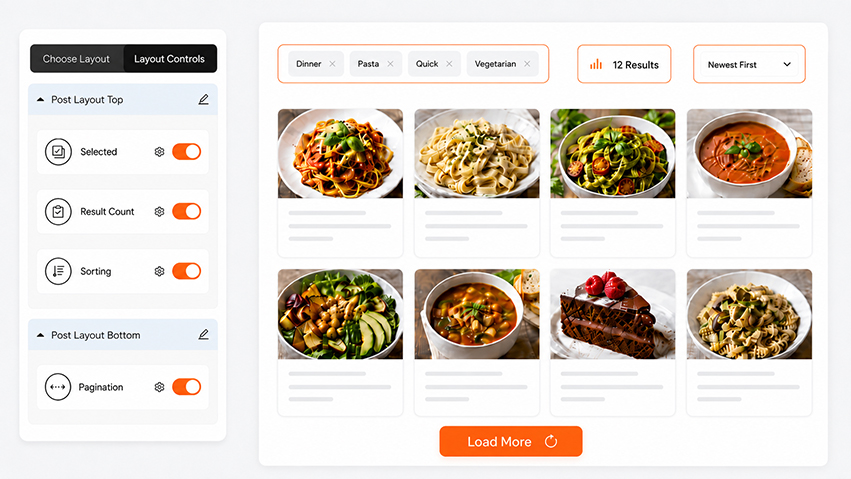
Four controls, fully in your hands
Add each one, customise every detail, and place it exactly where it belongs around your grid.

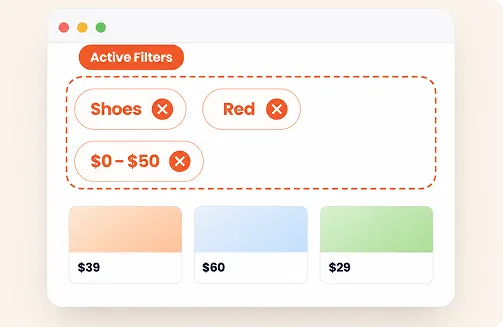
Active Filters
Show visitors exactly what they’ve selected. Display the chips on their own, or add a close button so each filter can be removed with one tap — plus a clear-all option, all fully styleable.

Result Count
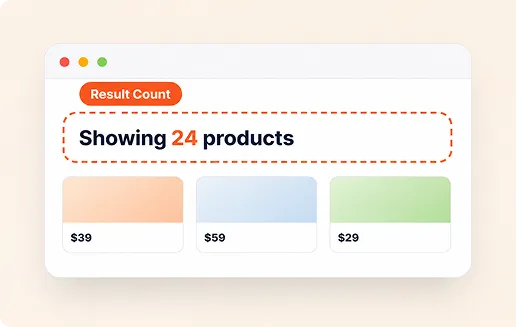
Let visitors see how many results match at a glance. Add your own prefix and suffix text around the number — “Showing 24 products”, “24 items found”, or anything that fits — so it works for any use.

Frontend Sorting
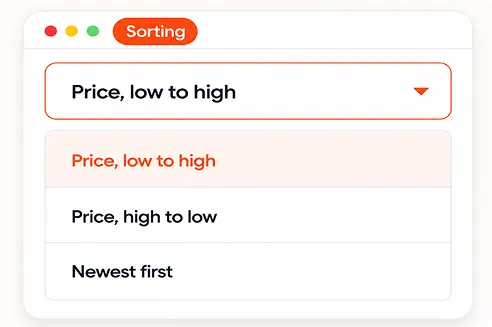
Give visitors a sort dropdown to reorder results themselves — price low to high, newest first, and more. The select box and its options are fully customisable to match your design, and results update instantly via AJAX.
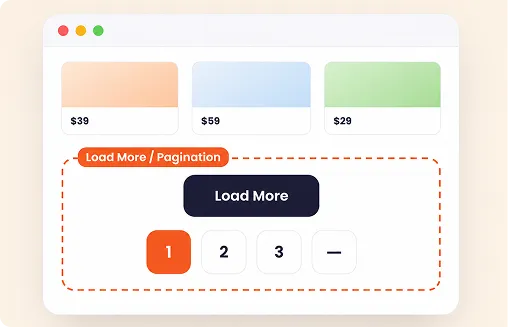

Load More or Pagination
Choose how visitors move through results — a “Load More” button that appends more items, or numbered pagination. Both are fully customisable, so the buttons and numbers match your design perfectly.
Four flexible slots
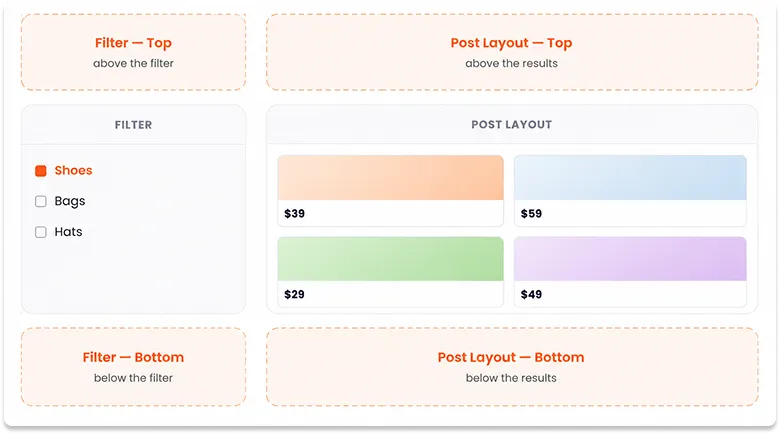
Place any control in one of four positions — around your filter, or around your post layout.
How Advanced Layout Controls work
Add, arrange, done — right in the builder.
Open Layout Controls
In the builder, go to Layout Settings → Layout Controls, where active filters, result count, sorting, and pagination are ready to place.
Drop it in a slot
Choose one of four slots, top or bottom of the filter, top or bottom of the post layout, for each control.
Everything updates live
As visitors filter and sort, every control updates instantly via AJAX — no page reload
Build the complete results experience
Starts from
$39
Frequently Asked Questions
Q. Can visitors remove filters from the active filter chips?
Yes. Each active filter shows as a removable chip, visitors can remove one at a time or clear them all at once from filter (if placed), without reopening the filter panel.
Q. Can I place these controls wherever I want?
Yes. Each control can be placed in one of four slots, above or below the filter, or above or below your post layout, so it sits exactly where it fits your design.
Q. What sorting options are available?
The frontend sort dropdown lets visitors reorder results, for example price low to high, price high to low, or newest first for woocommerce and ASC, DESC, title, date, random and more for wordpress and custom posts and results update instantly via AJAX..
Q. Can I use Load More instead of pagination?
Yes. You can choose a “Load More” button that appends more results, or classic numbered pagination, whichever suits your layout.
Q. Is this included in the free version?
Advanced Layout Controls is a Category AJAX Filter Pro feature.