

Popular Posts Module for Divi

4.9 

Whether it’s blog posts, products, or custom post types, this powerful module gives you everything you need to track, display and style your popular posts beautifully inside the Divi Builder.
Price

Unlimited Website Usage

30 Day Money-back Guarantee

1 Year Support & Updates
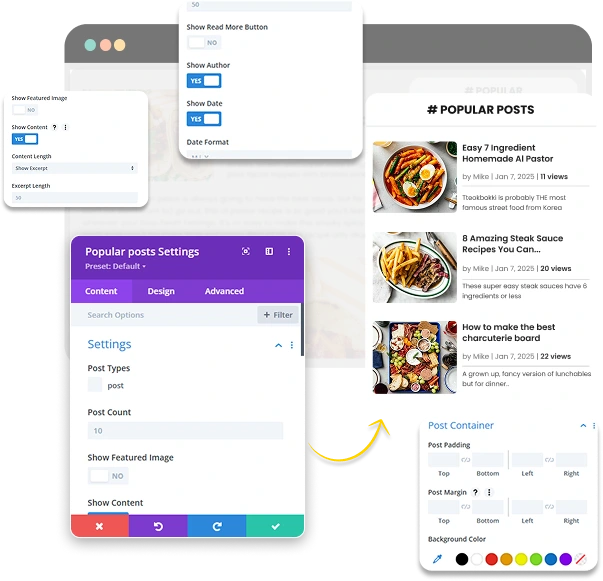


Features



Custom Post Type Support
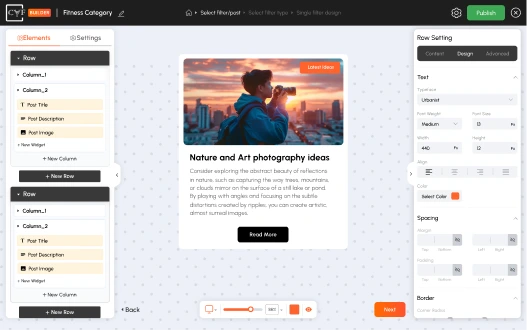
2 Layout Options
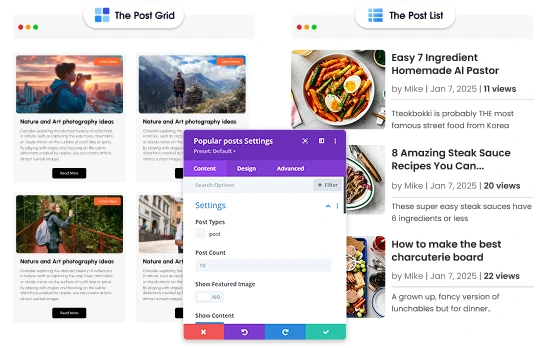
Filter by Time, Show What’s Trending Now
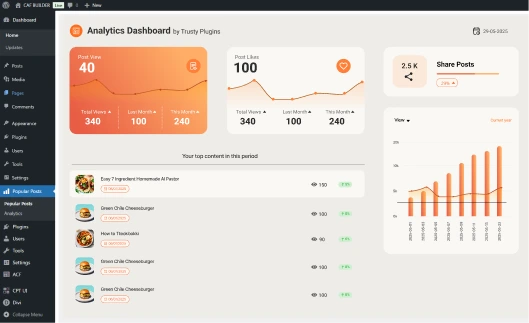
Built-In Analytics Dashboard
Live Demos
Here’s a quick look at what you can create in just a few minutes no coding, no extra setup, just pure Divi design magic.


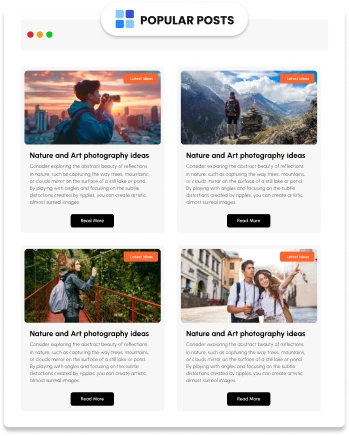
Grid View
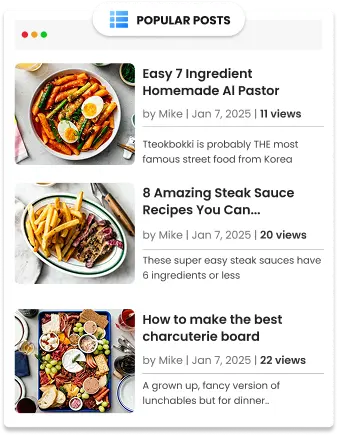
List View
5 Reasons to Buy Divi Popular Posts Module

Easy to Use

Real-Time Analytics

Dynamic Filtering
Instantly switch between daily, weekly, monthly, or yearly stats with one simple click.

Custom Post Type Support
Display popular items from any custom post type — blogs, portfolios, or more.

Premium Quality & Support
Built for performance, regularly updated, and backed by reliable, friendly support.
What Website Owners and WordPress Experts Say
Our users love sharing their experiences! Thousands of website owners and WordPress professionals have tried our free and pro plugins, and their feedback helps us grow and improve every day.
Josh Merrick3

This plugin is AWESOME! Exactly what I was looking for. Without loading the page you can filter the post by category and the Customer Support is EXCELLENT. Other developers don’t help much… But these guys are so responsive and will actually help when you need it.
Josh Merrick
This plugin is AWESOME! Exactly what I was looking for. Without loading the page you can filter the post by category and the Customer Support is EXCELLENT. Other developers don’t help much… But these guys are so responsive and will actually help when you need it.
Penny

Really useful plugin and the pro version is well worth buying. Installing it helped me a lot on quite a complex, large Divi site. Support are excellent too – highly recommended!
Odee Cool

This plugin is AWESOME! Exactly what I was looking for. Without loading the page you can filter the post by category and the Customer Support is EXCELLENT. Other developers don’t help much… But these guys are so responsive and will actually help when you need it.
Brandon

They released an update as I was implementing it, added some nice sorting functionality. Needs a bit of code insertion for custom sorting. Free version works well.
Frequently Asked Questions
